
What is Code_Aster and how to learn finite element simulation with open-source software
Introduction
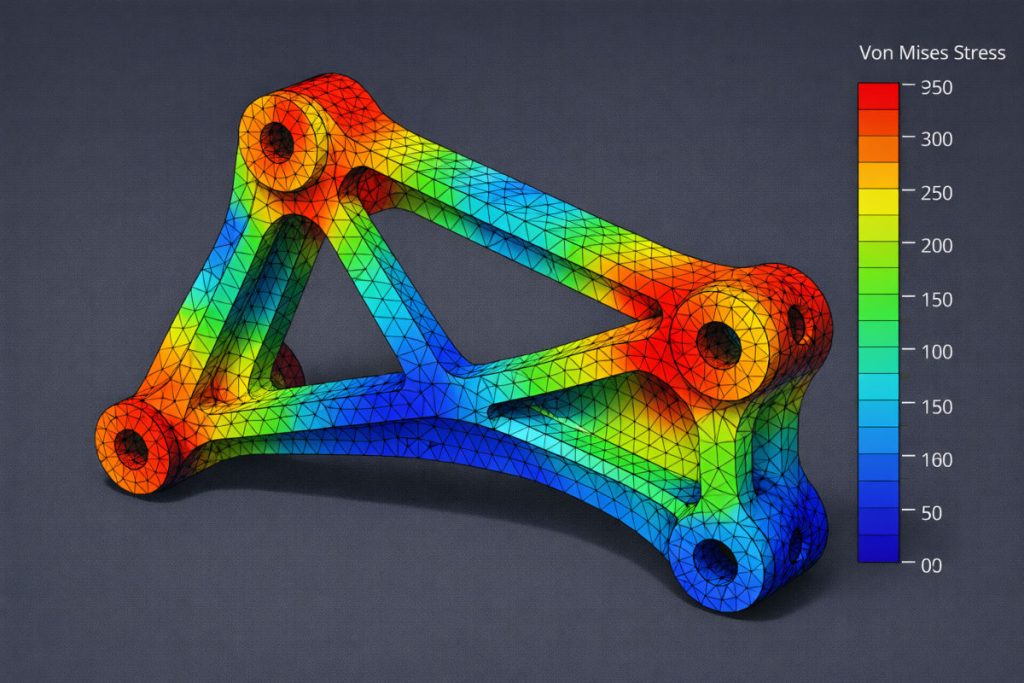
Numerical simulation using the Finite Element Method (FEM) has become an essential tool in the daily work of many engineers.
Today, sectors such as:
- mechanical engineering
- civil engineering
- aeronautical engineering
- energy
- nuclear industry
- automotive
They use CAE software to analyse the behaviour of structures before manufacturing prototypes.
However, many professional simulation tools such as ANSYS, Abaqus, and Nastran have very expensive licences that are not always affordable for students, researchers, or small businesses.
This is where Code_Aster comes in, one of the most powerful finite element simulation software packages available in open source.
Originally developed by Électricité de France (EDF), Code_Aster has been used for years in highly complex industrial projects, including structural analysis in power stations.
In this article, we will look at:
- What is Code_Aster?
- What kind of problems can it solve?
- Cómo funciona el flujo de trabajo de simulación
- Why more and more engineers are learning this software
What is Code_Aster?
Code_Aster is numerical simulation software based on the finite element method.
It enables complex engineering problems to be solved using mathematical models that represent the physical behaviour of structures or systems.
Among the analyses you can perform are:
- static structural analysis
- dynamic structural analysis
- thermal analysis
- non-linear problems
- multiphysics simulations
This makes it an extremely versatile tool in the field of Computer Aided Engineering (CAE).
Unlike other commercial software, Code_Aster is distributed under the GNU GPL licence, which means it can be used freely.
The Salome-Meca ecosystem
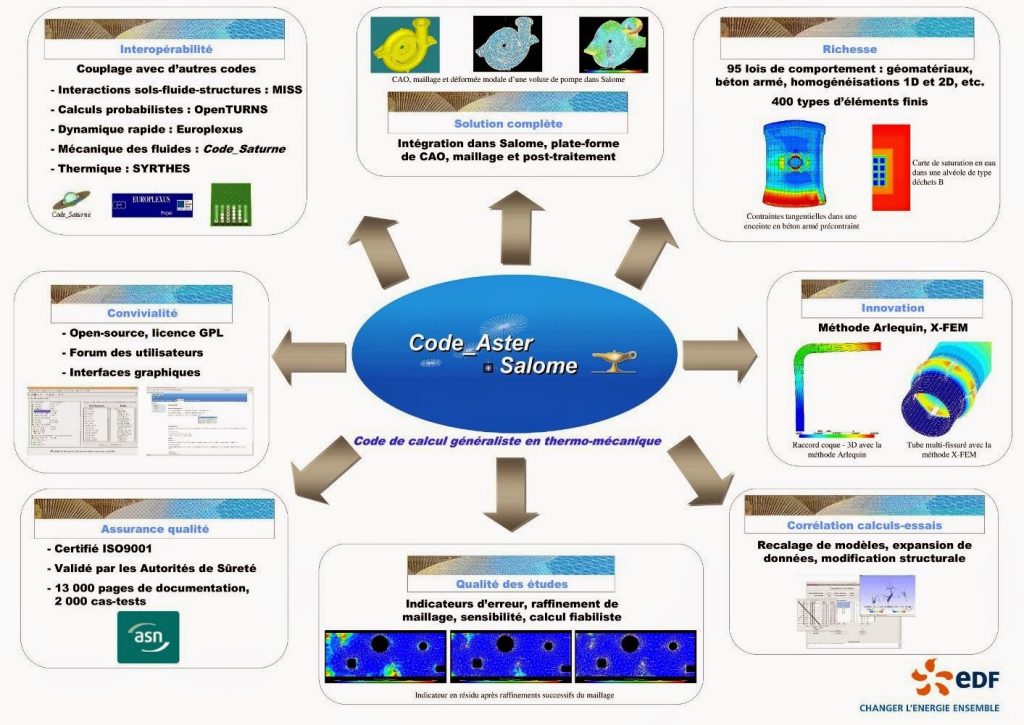
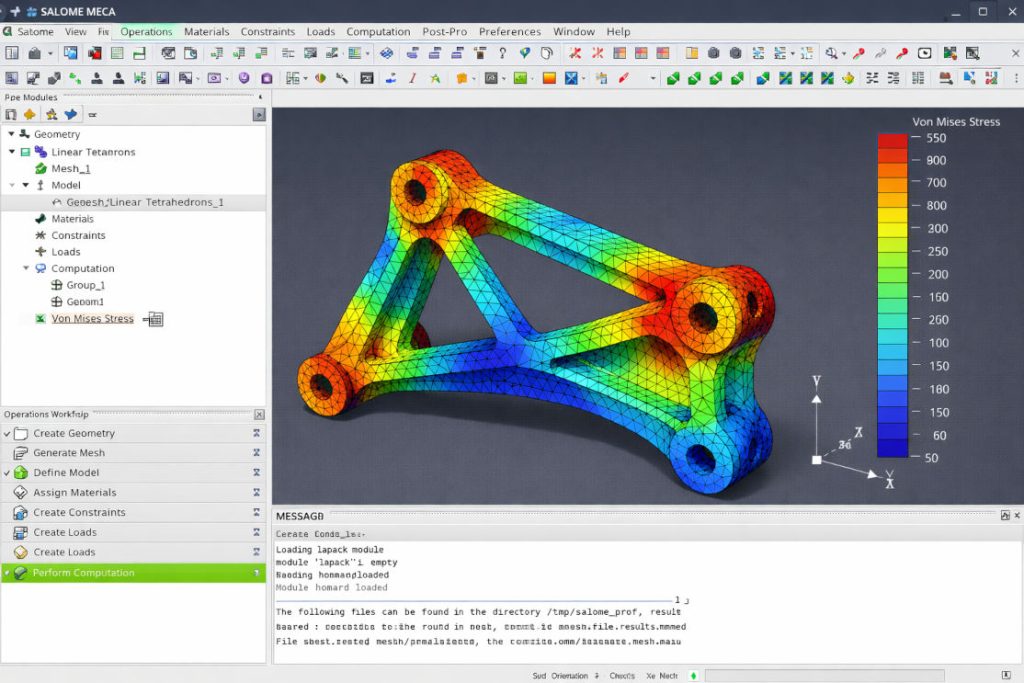
Although Code_Aster is the main solver, it is typically used within the Salome-Meca environment, which provides the necessary tools for preparing and analysing models.
Salome-Meca includes:
- geometric modelling tools
- mesh generators
- simulation manager
- results visualisation tools
The typical simulation workflow includes:
1. Creation of the geometry
2. Mesh generation
3. Definition of materials
4. Application of boundary conditions
5. Solver execution
6. Analysis of results
This process is common to most FEM simulation tools.
Step 1: creating or importing geometry
The first step in any simulation is to define the geometry of the model to be analysed.
At Salome-Meca, it is possible to:
- Create geometry directly in the environment
- Import CAD models
The most common formats include:
- STEP
- IGES
- STL
- BREP
These formats enable models to be exchanged between different CAD programmes and simulation tools.
Step 2: mesh generation
Once the geometry has been defined, the next step is to discretise the model into finite elements.
This is done through the process of meshing, which divides the geometry into small elements on which the model equations will be solved.
Salome-Meca includes mesh generators such as NetGen, capable of creating meshes:
- 1D
- 2D
- 3D
The quality of the mesh is a critical factor, as it directly affects the accuracy of the results.
Step 3: definition of the physical model
After generating the mesh, it is necessary to define the physical model to be simulated.
It includes:
- material properties
- boundary conditions
- applied loads
- model restrictions
In Code_Aster, these parameters are defined by command files that fully describe the simulation.
For example, a typical case includes steps such as:
- mesh reading
- definition of the material
- application of boundary conditions
- system resolution
- calculation of result fields
Step 4: running the simulation
The Code_Aster solver is responsible for solving the system of equations that describes the behaviour of the model.
Depending on the type of problem, the software may use different numerical methods to solve the system.
Among the most common calculations are:
- stress calculation
- calculation of deformations
- modal analysis
- thermal analysis
These results enable the behaviour of structures to be assessed prior to their manufacture.
Step 5: analysis of results
Once the simulation is complete, the results can be viewed using post-processing tools.
Salome-Meca integrates ParaView, a powerful scientific visualisation tool that allows you to:
- visualise stress fields
- analyse deformations
- create animations
- create graphs and representations of results
This facilitates the interpretation of the results obtained during the simulation.
What kind of problems can it solve?
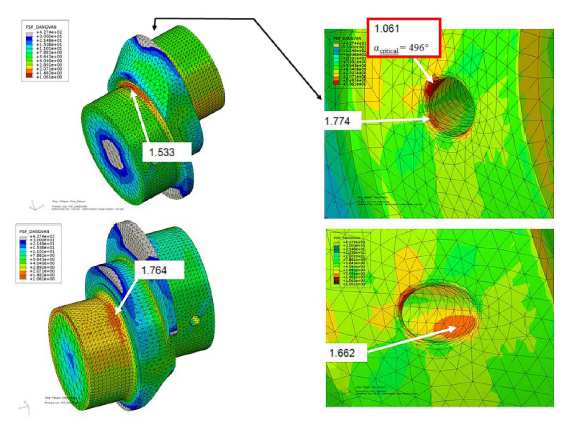
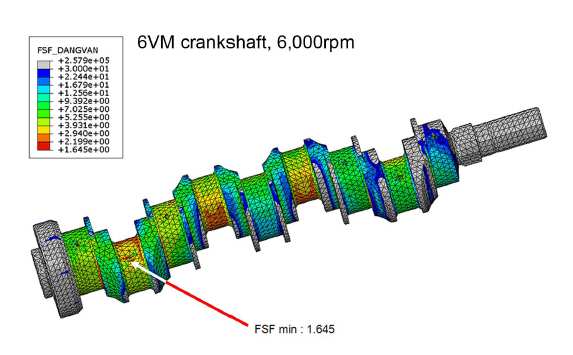
Code_Aster is capable of solving a wide variety of engineering problems, including:
Structural analysis
It allows the behaviour of structures subjected to loads to be studied.
For example:
- beams
- metal structures
- mechanical components
Thermal analysis
The temperature distribution in systems subjected to thermal sources can be analysed.
Typical applications:
- heat exchangers
- engine analysis
- cooling systems
Non-linear problems
The software also enables you to solve complex problems such as:
- surface contact
- plastic behaviour of materials
- large deformations
Why learn Code_Aster today?
More and more engineers are learning Code_Aster for various reasons.
1 Free and open software
Enables advanced simulations without paying for expensive licences.
2 Industrial level
It has been developed and used for decades in the energy industry.
3 Great simulation capability
It enables you to solve complex problems that are normally only found in commercial software.
4 Active scientific community
There is an international community of users and developers who contribute to improving the software.
How to start learning Code_Aster
Although Code_Aster is an extremely powerful tool, it also has a considerable learning curve.
Learning how to use it correctly requires understanding:
- the finite element method
- the simulation workflow
- the solver's command language
- the Salome-Meca environment
That is why many engineers choose to take specialised courses that teach the practical use of the software through real-life examples.
If you want to get started in the world of FEM simulation with open-source software, the Code Aster online course offered by Technical Courses is an excellent starting point.
Code_Aster online course
At Technical Courses, we offer an online course designed to teach you how to use Code_Aster from scratch.
Course features:
- 60 hours of training
- Online acces to platform 24/7
- acceso a la plataforma 24/7
- teaching materials in English
- tutor available for questions in Spanish, English, and Portuguese too.
During the course you will learn:
- environment setup
- geometry and mesh generation
- structural simulations
- thermal analysis
- interpretation of results
- The course is taught online through our virtual campus, in a comfortable and flexible environment. It also has various communication tools that allow you to stay in touch with teachers and fellow students, thus ensuring effective training with a high degree of student achievement.