
General information
The Code Aster Course is taught ONLINE. It consists of 60 teaching hours to be completed in 3 months. Students who successfully complete the course will be awarded the corresponding diploma.
The teaching material is in English. PDF manuals, video tutorials and practical exercises are provided. Students have access to an online platform 24 hours a day, 7 days a week, and a teacher with accredited professional experience in this subject, who will be responsible for tutoring the course and answering questions.
All teaching materials (manuals, videos, and tutorials) will be available from day one so that each student can work at their own pace.
The course structure is as follows:
• 11 chapters of theory and solved exercises.
• Compulsory exercises in line with the skills learned in each chapter.
• Optional exercises to help students improve their level.
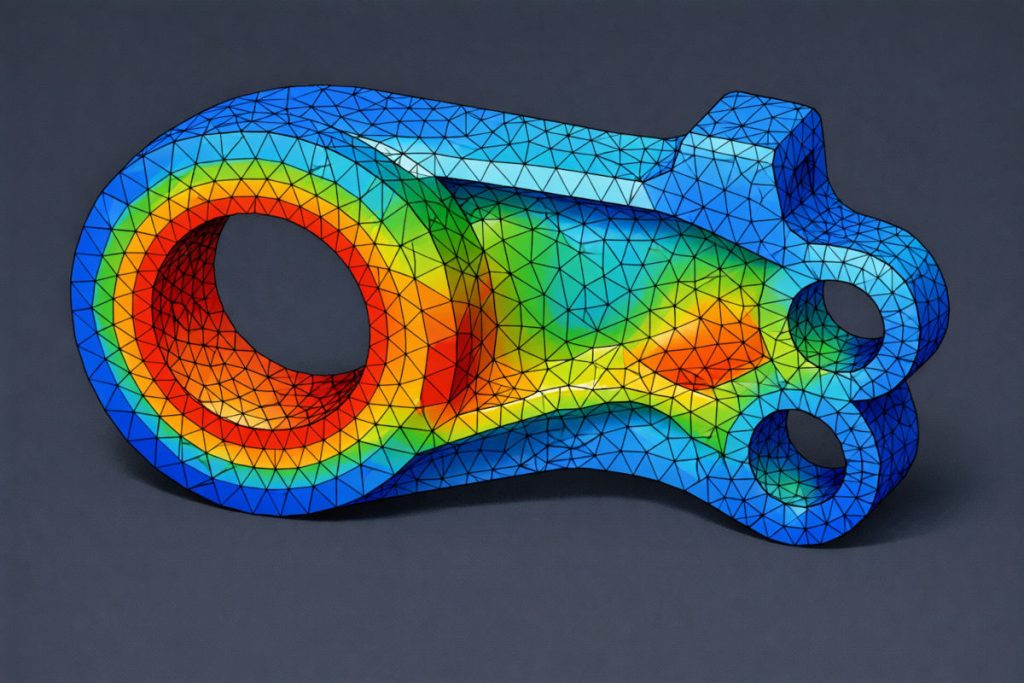
Code_Aster is a software for finite element analysis and numerical simulation in structural and multiphysics mechanics. Code_Aster is open source and free of charge. It can be downloaded free of charge from the website: www.code-aster.org
| Duration: | 60 hours, ONLINE |
| Start date: | The 1st and 15th of each month (flexible) |
| Maximum time: | 3 months |
| Price: | 350 € |
Description
Aimed at:
Engineers, technical engineers, physics graduates, scientists, teachers, students, and anyone interested in learning about FEM simulation software for structural and thermal analysis.
Objectives:
The aim of this course is to acquire a basic-intermediate level of knowledge for the simulation of mechanical and thermal CAE problems using Code_Aster software.
This course is aimed at those who want to learn how to use the Code_Aster programme without having any prior knowledge of it.
General description of Code_Aster software:
Code-Aster is open-source software for finite element method (FEM) simulation. It was developed by the French company Électricité de France (EDF) for the study and maintenance of power plants and electrical networks. It was released under the GNU General Public Licence in October 2001.
Among others, the range of problems it can solve includes:
• Static and dynamic analysis.
• Analysis of linear problems.
• Analysis of non-linear material (95 behaviour laws) and geometric problems.
• 3D problems with conventional finite elements and reduced integration.
• 2D analysis with plate and shell element models.
• 1D analysis with beam elements.
Additionally, the Code-Aster software is integrated into a software package called SalomeMeca, which includes pre-processing (Salome Platform) and post-processing (Paraview) software to facilitate and streamline the preparation and resolution of simulations.
More related information::
– Code_Aster, finite element CAE analysis software
Introductory video for the course:
Methodology:
The course is delivered online through our virtual campus in a convenient and flexible environment, eliminating the need for travel and rigid schedules associated with face-to-face training. Course assessment will be carried out through theoretical and practical tests, also in online format.
Program
1 INTRODUCTION
1.1 Open software for CAD and modeling
1.2 Open software for FEA
1.3 Short overview of Salome-Meca
1.4 Short overview of Code Aster
2 INSTALLING THE SOFTWARE
2.1 Installing the software
2.2 Creating and editing your first geometry
3 THE CODE ASTER: PRESENTATION AND DOCUMENTATION
3.1 Presentation of the Code_Aster
3.2 The ASTER manual
3.2.1 User Manual (U’s documents)
3.2.2 Reference Manual (R’s documents)
3.2.3 Validation Manual (V’s documents)
3.2.4 Developer Manual (D’s documents)
3.3 Most used ASTER commands and keywords
4 THEORETICAL BACKGROUND
4.1 Introduction
4.2 Finite elements in continuum mechanics
4.3 Modal analysis
4.4 Heat transfer
4.5 A simple and practical 2D engineering example
4.6 A 3D engine connecting rod
5 PREPROCESSING: GEOMETRY AND MESH
5.1 Getting started with a simple 3D mechanical problem
5.2 Creating the geometry
5.3 Meshing the geometry
5.4 Exporting your mesh
5.5 Modifying the geometry
5.6 Refining your mesh
5.7 Importing a mesh
5.8 Exercises
6 RUNNING A FE ANALYSIS
6.1 Code_Aster’s files
6.1.1 Files names: *.export file
6.1.2 Mesh file: *.med file (Aster format)
6.1.3 Mesh file: *.mesh file (text format)
6.1.4 Command file: *.comm file
6.1.5 Output file: *.rmed file (Aster format)
6.1.6 Output file: *.resu file (text format)
6.1.7 Run messages file: *.mess file
6.2 Creating the Aster’s command file (*.comm file)
6.3 Running your first FE analysis
6.3.1 Executing Code_Aster at the CMD window
6.3.2 A rapid view of the results
7 POSTPROCESSING
7.1 Postprocessing with Aster Study
7.2 Postprocessing with Paravis
8 LINEAR STATIC MECHANICS
8.1 Two dimensional (2D) problems
8.1.1 Plate with hole
8.1.2 Dam buttress
8.2 Problems with symmetry of revolution
8.2.1 Axisymmetric mechanical device
8.3 Three dimensional (3D) problems
8.3.1 Cantilever beam in bending
8.3.2 Aluminum connector for curtain walls
8.4 Plate bending
8.4.1 Simply supported square plate
8.5 Exercises
9 NON LINEAR STATIC MECHANICS
9.1 An elastoplastic beam (material nonlinearity)
9.2 Two bodies in simple contact
9.3 Friction contact problem
9.4 Exercises
10 LINEAR DYNAMICS
10.1 3D modal analysis: cantilever beam
10.2 Exercises
11 THERMAL ANALYSIS
11.1 Plate with two holes
11.2 3D cylindrical recipient
11.3 Exercises
Teachers

Miguel Cerrolaza Rivas
Master's degree in Civil Engineering from the Federal University of Rio de Janeiro (Brazil). Doctorate in Industrial Engineering from the Polytechnic University of Madrid. Visiting professor at the Ecole Nationale des Ponts et Chaussées (Paris) and the Colorado School of Mines (USA). He is currently a professor at the International University of Valencia (Valencia, Spain) and the Polytechnic University of Catalonia (Barcelona, Spain). He has more than 30 years of experience in finite element analysis and the use of software for numerical calculation and computer modelling. Author of numerous publications in journals and nearly 10 books in the field. He has been invited to give more than 40 lectures in Europe, Asia, the USA and Latin America.
Enrolment information
If you are interested in the course, we would appreciate it if you could pre-register by entering your details in the ‘Pre-registration’ tab, or contact us and we will answer any questions or queries you may have about this course.
Our contact details:
Contact number: +34604859663
• E-mail: info@technicalcourses.net